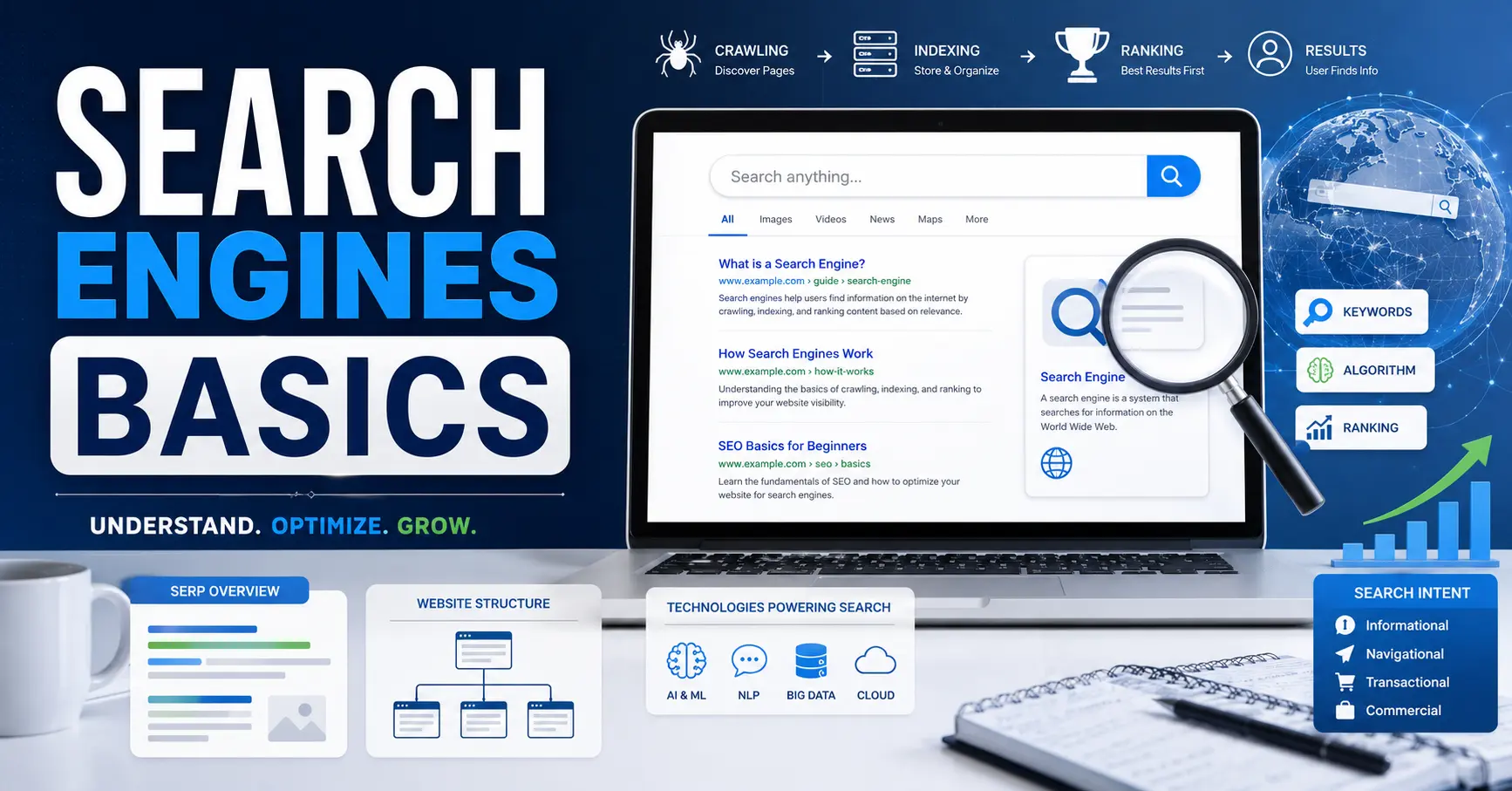

Search Engines Basics:
You type a question. You press Enter. In less than a second, thousands of results appear. It looks like magic, but it is not. Behind that instant response is a massive, constantly running system that never sleeps.
Understanding how search engines work is not just for developers or SEO professionals. It is for anyone who uses the internet to find information, run a business, publish content, or simply stay informed. Once you understand the basics, you will search smarter, create better content, and make decisions based on how the web actually works, not guesswork.
This guide covers everything from first principles. No jargon. No fluff. Just clear, accurate, and genuinely useful information.
What Is a Search Engine?
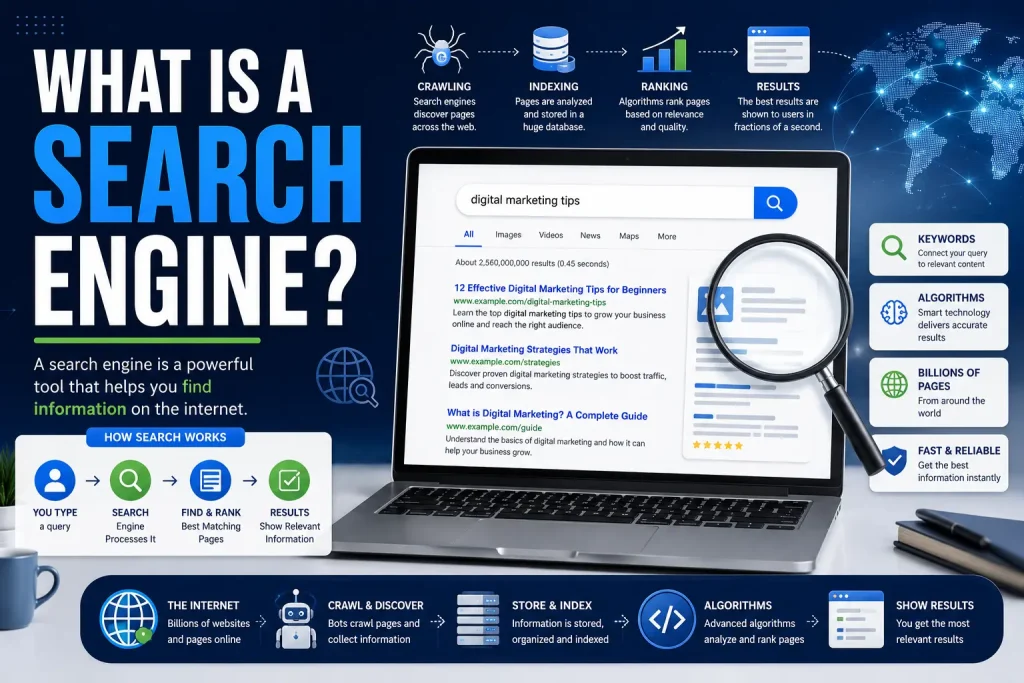
A search engine is a software system that helps users find information stored across the internet. You give it a query, and it returns a ranked list of web pages, images, videos, or other content that matches what you are looking for.
Search engines do not browse the live internet in real time when you search. Instead, they maintain a massive pre-built database of content they have already discovered and analyzed. When you search, they query that database and rank the best results for you.
The most widely used search engines in the world today include:
- Google (dominant globally with over 90% market share)
- Microsoft Bing
- Yahoo (which now uses Bing’s index)
- DuckDuckGo (privacy-focused, does not track users)
- Baidu (dominant in China)
- Yandex (dominant in Russia)
- Brave Search (independent index, privacy-first)
A Brief History of Search Engines
Understanding where search engines came from helps you understand where they are going.
| Year | Milestone |
| 1990 | Archie, the first search tool, launched to index FTP files |
| 1993 | ALIWEB and the World Wide Web Wanderer appeared, early web crawlers |
| 1994 | Yahoo launched as a manually curated web directory |
| 1995 | AltaVista and Lycos launched, using automated crawling |
| 1997 | Ask Jeeves launched, focusing on natural language queries |
| 1998 | Google launched, introducing PageRank-based ranking |
| 2004 | Google IPO; search became a multi-billion dollar industry |
| 2009 | Microsoft launched Bing to compete with Google |
| 2022 | ChatGPT launched, beginning the era of AI-powered search |
| 2023 | Google introduced AI Overviews (then called Search Generative Experience) |
| 2024+ | Perplexity, Bing Copilot, and others push conversational AI search mainstream |
How Search Engines Work: The Three Core Stages
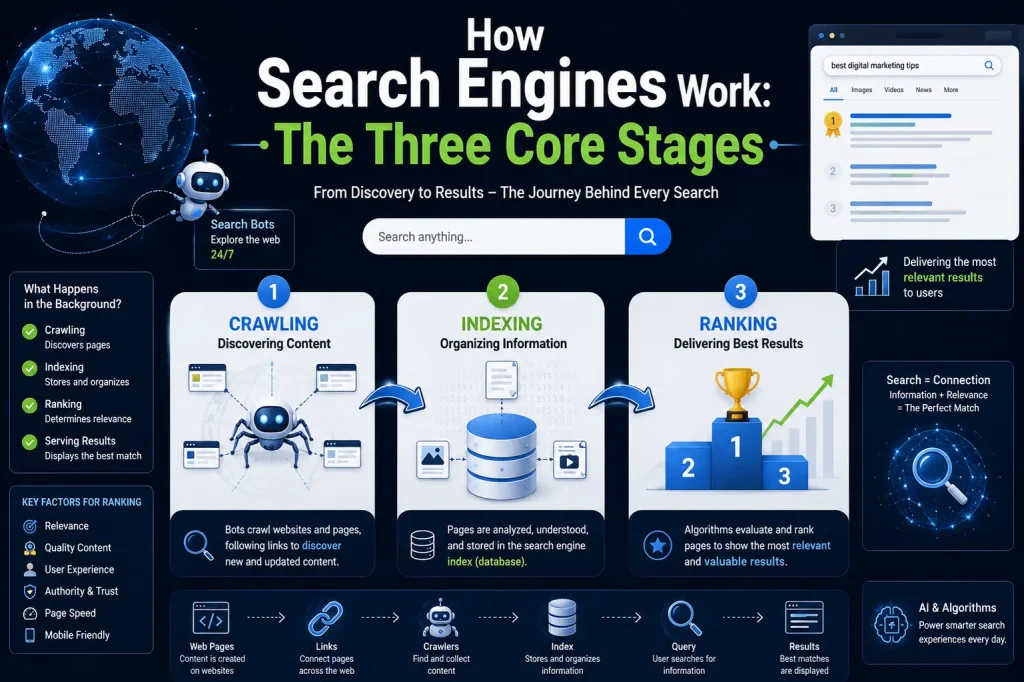
Every major search engine operates on the same fundamental three-stage process. Once you understand these stages, everything else about SEO, content strategy, and web publishing makes sense.
Stage 1: Crawling
Crawling is the discovery phase. Search engines use automated programs called crawlers, bots, or spiders to browse the internet continuously, following links from one page to another.
Think of a crawler as an incredibly fast reader who visits billions of web pages, reads their content, follows every link, and reports back what it finds.
How crawling works in practice:
- The crawler starts from a list of known URLs called a seed list
- It visits each URL, downloads the page content including HTML, text, images, and links
- It follows the links on that page to discover new URLs
- New URLs are added to the crawl queue
- The process repeats endlessly, 24 hours a day, 7 days a week
Google’s crawler is called Googlebot. Bing uses Bingbot. Each search engine runs its own crawler independently.
What affects how often your site gets crawled:
- How frequently you publish or update content
- How many external sites link to you (backlink authority)
- Your site’s crawl budget, which is the number of pages a search engine will crawl on your site within a given time frame
- Technical issues like slow load times, broken links, or errors that block crawlers
- Your robots.txt file, which tells crawlers which pages to visit and which to avoid
One thing competitors rarely explain: not all parts of the internet get crawled. The surface web, which is what search engines index, represents a small fraction of all internet content. The deep web (login-protected content, private databases) and dark web are not indexed by standard search engines.
Stage 2: Indexing
After a page is crawled, it goes through indexing. This is where the search engine analyzes the content and decides whether to store it in its database.
Indexing is more than just saving a copy of the page. The search engine extracts meaning from the content, figures out what topics it covers, identifies the language, detects the content format, and links it to related pages and concepts.
What search engines analyze during indexing:
- Page title and meta description
- Headings and subheadings (H1, H2, H3 structure)
- Body text and its semantic meaning
- Keywords and related terms used throughout the content
- Images, alt text, and multimedia elements
- Internal and external links on the page
- Page speed and mobile-friendliness
- Structured data and schema markup
- Last updated date and content freshness
- Canonical tags that tell search engines which version of a page is the primary one
A critical point that most beginner guides miss: crawling and indexing are not the same thing. A page can be crawled but not indexed. Search engines may skip indexing if a page has duplicate content, thin content with little value, a noindex directive in the HTML, or content blocked by technical errors.
To check whether your pages are indexed on Google, you can use the site: search operator. For example, typing site:yourwebsite.com into Google shows all indexed pages from your domain.
Stage 3: Ranking
Ranking is what happens in the fraction of a second after you press Enter. The search engine scans its index, runs your query through a complex algorithm, and returns results in order of relevance and quality.
This is the most competitive part of search. Thousands of pages may be indexed for any given keyword. Ranking determines which ones appear at the top.
Search engines evaluate hundreds of ranking factors. Here are the most important ones:
Relevance
Does the page actually answer the user’s question? Search engines analyze keyword usage, semantic context, topic coverage, and query intent to measure relevance.
Authority
How trustworthy and authoritative is the page and the site it comes from? Authority is largely measured through backlinks, which are other websites linking to the page. A link from a trusted, established website carries more weight than a link from an unknown blog.
User Experience
Does the page load quickly? Is it mobile-friendly? Is the content easy to read and navigate? Google’s Core Web Vitals measure page experience signals including loading speed, visual stability, and interactivity.
Content Quality
Is the content well-written, accurate, and genuinely helpful? Search engines evaluate depth, originality, expertise, and whether the content satisfies what users are searching for.
Search Intent Match
Every search query has an intent behind it. Search engines categorize intent as:
- Informational: the user wants to learn something (How do search engines work?)
- Navigational: the user wants to find a specific site (Gmail login)
- Transactional: the user wants to buy or take action (buy running shoes online)
- Commercial investigation: the user is researching before a purchase (best running shoes 2024)
Pages that match both the topic and the intent of a query rank better than pages that match only the topic.
Key Search Engine Ranking Factors at a Glance
| Ranking Factor | What It Means |
| Keyword Relevance | The page uses the right words and phrases for the topic |
| Backlink Profile | Quality and quantity of sites linking to the page |
| Page Speed | How fast the page loads across devices |
| Mobile Friendliness | Whether the page works well on smartphones |
| Content Depth | How thoroughly the page covers the topic |
| E-E-A-T | Experience, Expertise, Authoritativeness, Trustworthiness |
| Core Web Vitals | Google’s user experience performance metrics |
| Structured Data | Schema markup that helps search engines understand content |
| Content Freshness | How recently the content was published or updated |
| User Signals | Click-through rate, bounce rate, time on page |
| Internal Linking | How well the page is connected to other pages on the site |
What Is E-E-A-T and Why Does It Matter?
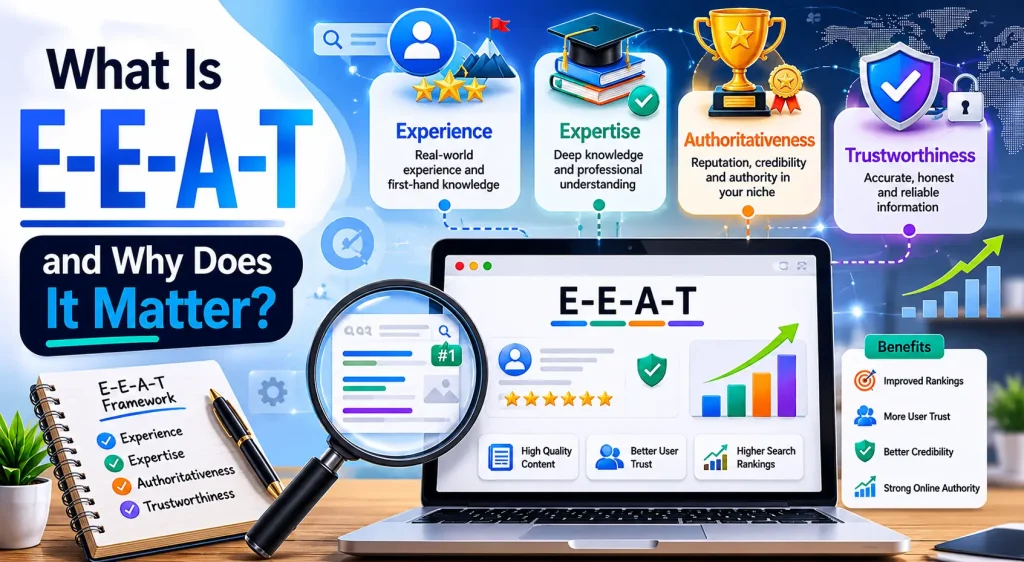
E-E-A-T stands for Experience, Expertise, Authoritativeness, and Trustworthiness. Google introduced this concept in its Search Quality Rater Guidelines, which are used by human reviewers to evaluate the quality of search results.
It is not a direct ranking signal in the algorithmic sense, but it reflects the underlying principles that Google’s algorithm tries to measure and reward.
- Experience: Has the author personally experienced what they are writing about?
- Expertise: Does the author have real knowledge and skill in the subject area?
- Authoritativeness: Is the website recognized as a reliable source in its niche?
- Trustworthiness: Is the content accurate, honest, and free from deception?
E-E-A-T matters most in what Google calls YMYL (Your Money or Your Life) topics, which includes health, finance, legal advice, and safety-related content. In these areas, low-quality or inaccurate content can genuinely harm users, so Google applies stricter quality standards.
Types of Search Results You See on Google
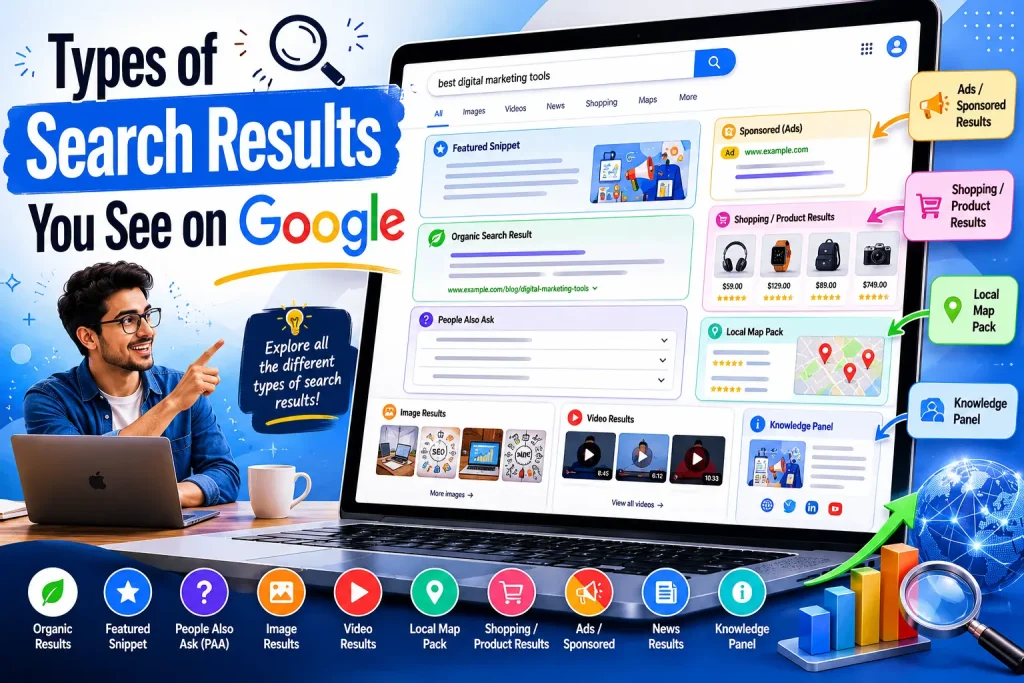
Search results are not just a list of ten blue links anymore. Modern search engine results pages (SERPs) include a wide variety of features. Understanding them helps you understand how search engines present information.
Organic Results
These are the standard ranked results that appear because of their relevance and quality. They are not paid. Earning a high organic ranking is the goal of SEO.
Paid Ads (PPC)
Paid results appear at the top and bottom of the SERP, clearly labeled as sponsored. Advertisers bid on keywords through platforms like Google Ads and pay each time someone clicks.
Featured Snippets
A featured snippet is a box at the top of the results that shows a direct answer to a question pulled from a web page. Appearing in a featured snippet, called position zero, often drives significant traffic even without ranking first in organic results.
Knowledge Panels
Knowledge panels appear on the right side of the results and show structured information about a person, organization, place, or topic. They are powered by Google’s Knowledge Graph, which is a database of entities and their relationships.
Local Pack
When a search has local intent, such as restaurants near me or dentist in Chicago, Google shows a map and a list of nearby businesses. This is called the local pack or map pack.
Image and Video Results
Visual content appears in dedicated image or video carousels when the search intent is visual or multimedia-oriented.
People Also Ask
This section shows related questions that other users have searched for. Answering these in your content is a proven way to capture additional SERP real estate.
AI Overviews
Google now generates AI-powered summaries at the top of results for many queries. These pull from multiple sources and give users quick answers. Appearing in AI Overviews is becoming a new goal for content creators.
How Search Engines Have Changed: From Keywords to Context
Early search engines were simple. You typed keywords. They looked for those exact words on pages. The more times a keyword appeared, the higher the page ranked. This led to a practice called keyword stuffing, where web pages would repeat keywords dozens of times to game the algorithm.
Search engines have evolved dramatically since then. Here is how Google’s major algorithm updates have shaped modern search:
| Update | What It Did |
| Panda (2011) | Penalized thin, low-quality, and duplicate content |
| Penguin (2012) | Penalized spammy and manipulative link-building practices |
| Hummingbird (2013) | Shifted focus from keywords to query meaning and context |
| RankBrain (2015) | Introduced machine learning to better interpret search queries |
| Medic (2018) | Increased scrutiny of YMYL sites and E-A-T signals |
| BERT (2019) | Improved understanding of natural language and conversational queries |
| Core Web Vitals (2021) | Made page experience a formal ranking signal |
| Helpful Content (2022) | Prioritized content written for humans, not search engines |
| E-E-A-T Update (2022) | Added Experience to the existing E-A-T framework |
| March Core Update (2024) | Major crackdown on AI-generated spam and low-quality content |
The core lesson from this history is clear: search engines are getting better at understanding human intent. The strategies that worked in 2010 can now actively hurt your rankings. Quality, relevance, and genuine helpfulness are what matter today.
How Search Engines Handle AI-Generated Content
This is a topic no competitor article adequately addresses, but it is highly relevant in 2024 and beyond.
Google’s official position is that AI-generated content is not automatically banned or penalized. What matters is whether the content is helpful, accurate, and created with the user in mind, regardless of how it was produced.
However, Google’s Helpful Content system actively targets:
- Bulk-produced content that lacks depth or originality
- Content that appears made for search engines rather than real readers
- Pages with no demonstrated experience or expertise on the topic
- Sites that publish large volumes of AI content across many unrelated topics
The practical takeaway is this: using AI as a writing tool is acceptable if a knowledgeable human reviews, improves, and adds genuine insight to the output. Using AI to churn out hundreds of shallow pages is a strategy that Google’s algorithms now actively work to suppress.
What Search Engines Cannot Do (Limitations Most Articles Ignore)
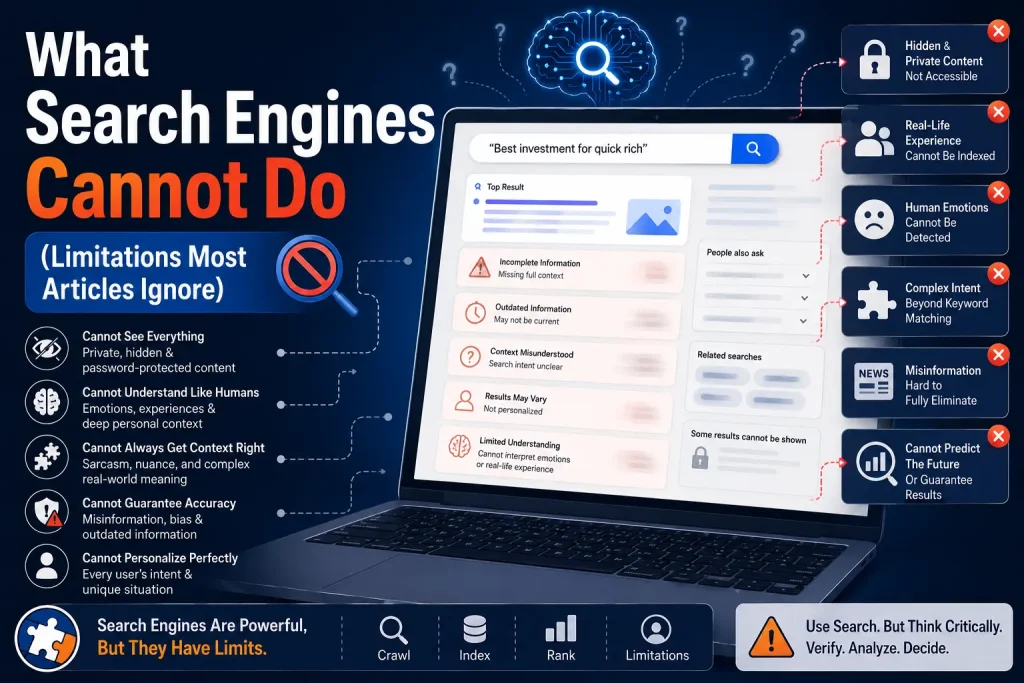
Search engines are powerful, but they have real limitations. Understanding these helps you interpret search results critically.
- Search engines cannot access content behind login walls, paywalls, or private databases
- They cannot read content embedded in certain Flash, JavaScript-heavy, or improperly structured pages
- They cannot always determine whether information is true or false, only whether it is popular and linked to by authoritative sources
- They cannot index every page on the internet. Many pages are ignored due to crawl budget limits
- They may lag behind on very recent events, since crawling and indexing take time
- They struggle with highly visual content where meaning is in images and no alt text is provided
Search Engine vs. Web Browser: What Is the Difference?
This is one of the most commonly misunderstood concepts for people new to how the internet works. A search engine and a web browser are two entirely different things.
| Feature | Details |
| Web Browser | Software that lets you access and view web pages (Chrome, Firefox, Safari, Edge) |
| Search Engine | A service that helps you find web pages (Google, Bing, DuckDuckGo) |
| Relationship | You use a browser to visit a search engine, then use the search engine to find other pages |
| Example | Chrome is a browser. Google is a search engine. You open Chrome, go to Google, and search. |
Google creates both a browser (Chrome) and a search engine (Google Search), which is why people confuse them. But they are separate products with separate functions.
How to Make Your Website Search Engine Friendly: Practical Basics
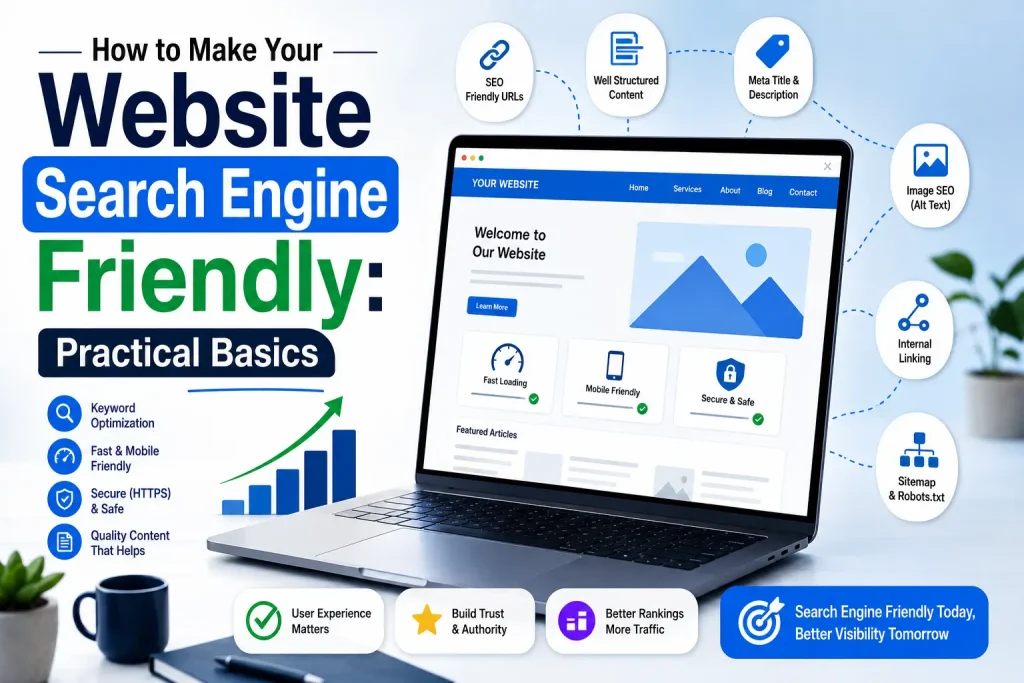
Now that you understand how search engines work, here is how to apply that knowledge to your own website or content.
1. Make Sure Your Site Can Be Crawled
- Check your robots.txt file and make sure it does not accidentally block important pages
- Fix broken links and 404 errors that waste crawl budget
- Submit an XML sitemap to Google Search Console so Googlebot knows which pages to prioritize
- Use internal linking to connect your pages so crawlers can navigate your site easily
2. Help Search Engines Index Your Content Correctly
- Use descriptive, keyword-rich page titles
- Write clear meta descriptions that summarize each page
- Use proper heading structure (one H1 per page, logical H2 and H3 hierarchy)
- Add alt text to all images so search engines understand visual content
- Implement canonical tags to avoid duplicate content issues
- Use schema markup to provide structured data about your content type
3. Create Content That Earns Rankings
- Research what your target audience is actually searching for before writing
- Match your content to the search intent behind your target keywords
- Write comprehensive content that covers a topic more thoroughly than existing results
- Update older content regularly so it stays accurate and fresh
- Build credibility by citing authoritative sources and demonstrating real expertise
4. Build Authority Through Links
- Create content valuable enough that other websites want to link to it
- Write guest posts on reputable websites in your niche
- Get listed in relevant directories, associations, and resource pages
- Avoid buying links or participating in link schemes, which Google actively penalizes
5. Optimize for User Experience
- Ensure your site loads in under three seconds on mobile devices
- Use a mobile-responsive design since most searches now happen on smartphones
- Make your navigation clear and your content easy to scan
- Minimize intrusive pop-ups that make pages hard to use
Essential Tools for Understanding and Improving Search Visibility
These tools help you see how search engines interact with your site and where opportunities exist.
| Tool | What It Does |
| Google Search Console | Shows which pages are indexed, search queries, crawl errors, and performance data |
| Google Analytics | Tracks how users find and interact with your site |
| Bing Webmaster Tools | Same as Search Console but for Bing’s index |
| Screaming Frog SEO Spider | Crawls your own site to find technical issues before search engines do |
| Ahrefs / SEMrush | Keyword research, backlink analysis, and competitor research |
| PageSpeed Insights | Tests your page speed and Core Web Vitals scores |
| Rich Results Test | Checks whether your schema markup qualifies for rich results |
| MozBar | Browser extension showing domain authority and link metrics |
Common Search Engine Myths Debunked
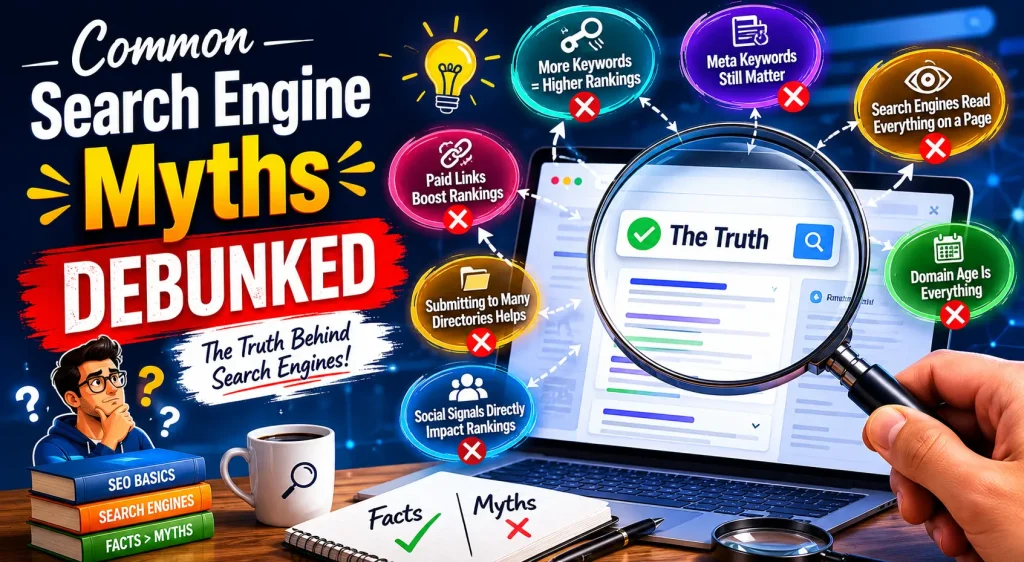
Bad information about search engines spreads quickly online. Here are the most persistent myths and the truth behind them.
Myth 1: More keywords means higher rankings.
Reality: Keyword stuffing is penalized. Search engines reward natural, readable content that covers a topic thoroughly, not pages crammed with repeated keyword phrases.
Myth 2: Paid ads boost organic rankings.
Reality: Google has explicitly confirmed that buying ads does not influence organic search rankings. The two systems are completely separate.
Myth 3: You need to submit your site to search engines.
Reality: Search engines will find your site naturally through crawling if it is linked to from any other indexed page. Submitting a sitemap to Google Search Console speeds things up but is not mandatory.
Myth 4: Social media shares improve rankings.
Reality: Google has not confirmed social signals as a direct ranking factor. However, content that spreads on social media tends to attract backlinks, which do improve rankings indirectly.
Myth 5: SEO is a one-time task.
Reality: Search algorithms update continuously, competitors publish new content, and your site changes over time. SEO requires ongoing maintenance and strategy, not a single setup.
Myth 6: Older domains always rank better.
Reality: Domain age is a minor factor at best. A newer site with better content, stronger backlinks, and better user experience can outrank an older domain.
The Future of Search Engines
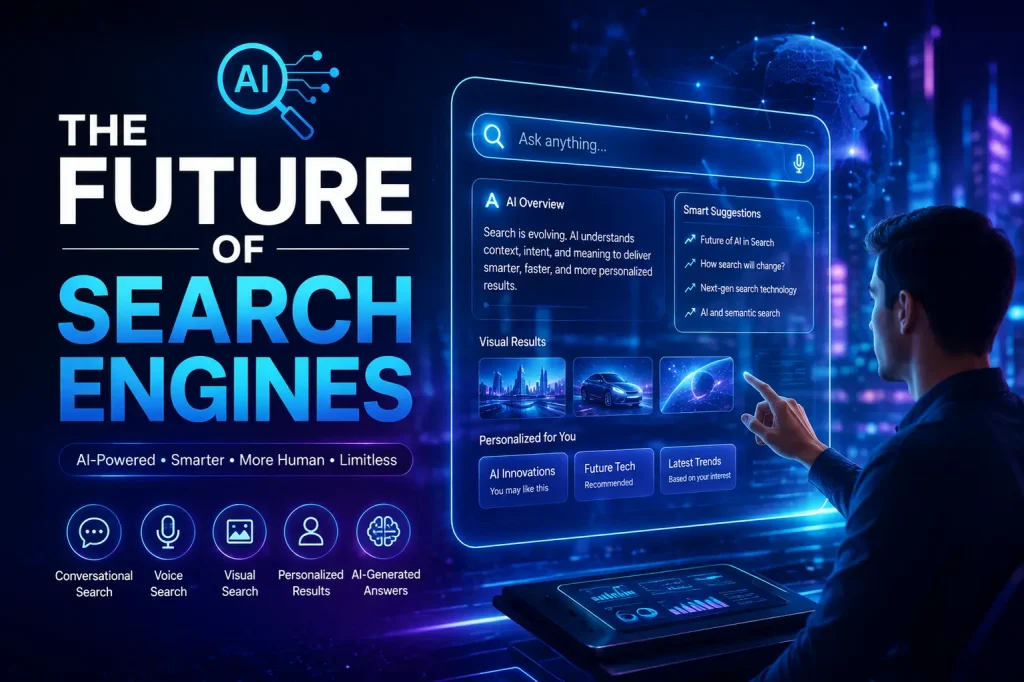
Search is evolving faster than at any point in its history. Here is where it is heading.
AI-Powered Answers
Search engines are increasingly generating direct answers using large language models rather than just showing links. Google’s AI Overviews, Bing Copilot, and Perplexity AI represent this shift. Users get synthesized answers at the top of results, reducing the number of clicks to individual websites.
Voice Search
With the rise of smart speakers and voice assistants, more queries are being spoken rather than typed. Voice queries tend to be longer and more conversational, which means content optimized for natural language performs better.
Visual Search
Google Lens and similar tools let users search using images rather than text. A user can point their camera at a product, a landmark, or a plant and get search results based on what they see.
Personalized Search
Search results are increasingly personalized based on your search history, location, device, and past behavior. Two people searching the same query may see different results.
Zero-Click Searches
A growing share of searches end without any click because the answer is shown directly on the SERP in featured snippets, AI Overviews, or knowledge panels. Brands need to optimize for visibility and brand recognition, not just traffic.
Multimodal Search
Future search engines will handle combinations of text, images, audio, and video in a single query. Search is moving beyond words toward a richer, multi-format experience.
Quick Reference Glossary: Search Engine Terms Every Beginner Should Know
| Term | Definition |
| Algorithm | The set of rules a search engine uses to rank results |
| Backlink | A link from another website pointing to your page |
| Crawl Budget | The number of pages a search engine will crawl on your site in a given time |
| Featured Snippet | A highlighted box at the top of results that shows a direct answer |
| Index | The search engine’s database of discovered and analyzed web pages |
| Keyword | A word or phrase that describes what a page or search query is about |
| Meta Description | A short summary of a page shown in search results below the title |
| Organic Results | Non-paid search results ranked by relevance and quality |
| PageRank | Google’s original algorithm that scored pages based on the quantity and quality of links |
| SERP | Search Engine Results Page, the page you see after submitting a search query |
| Schema Markup | Code that helps search engines understand the type of content on a page |
| Sitemap | A file listing all pages on a website to help search engines find and index them |
| Technical SEO | Optimizations to a website’s infrastructure that help search engines crawl and index it |
| E-E-A-T | Experience, Expertise, Authoritativeness, Trustworthiness, Google’s quality framework |
| Robots.txt | A file that tells search engine crawlers which pages to visit or avoid |
| Canonical Tag | An HTML tag that tells search engines which URL is the preferred version of a page |
| Core Web Vitals | Google’s metrics for measuring real-world user experience on a page |
| Zero-Click Search | A search that is answered directly on the results page without any link being clicked |
| YMYL | Your Money or Your Life, high-stakes content categories held to stricter quality standards |
Frequently Asked Questions
How long does a new website take to appear in search results?
Usually a few days to several weeks. It depends on indexing, backlinks, and sitemap submission.
Can I control which pages get indexed?
Yes. You can use noindex tags, robots.txt, or Google Search Console to manage indexing.
Does HTTPS affect SEO rankings?
Yes. HTTPS is a ranking signal and also improves trust and security.
What is the difference between SEO and SEM?
SEO is organic optimization for rankings, while SEM includes SEO plus paid ads like Google Ads.
How do search engines handle duplicate content?
They choose one main version and may ignore others. Using a canonical tag helps fix this.
Why is my competitor ranking higher than me?
Because of stronger backlinks, better domain authority, technical SEO, or search intent matching—not just content quality.
Conclusion
Search engines have evolved from simple keyword-matching tools into sophisticated systems that try to understand human language, intent, and quality. They shape what information billions of people see every day.
Understanding search engines basics gives you a foundation for everything else: choosing the right keywords, writing better content, fixing technical issues, building links, and measuring results. Whether you are a student, a business owner, a marketer, or just a curious reader, this knowledge makes you a more informed and effective participant in the digital world.
The principles that make a page rank well are the same principles that make it genuinely useful: clear, accurate, well-organized information that answers real questions for real people. Search engines are simply trying to automate what a thoughtful librarian has always done.
Build for your audience, understand how search engines think, and the rankings will follow.
You May Also Like It:
Baylor Bears Mens Basketball vs Duke Blue Devils Mens Basketball Match Player Stats